
Campaign Goals & Progress
A Donation Progress Bar Read From Your Own Records
Set a target on your campaign, place the goal block on a page, and the figure comes from your donation records every time it loads. There is no second total to keep up to date.
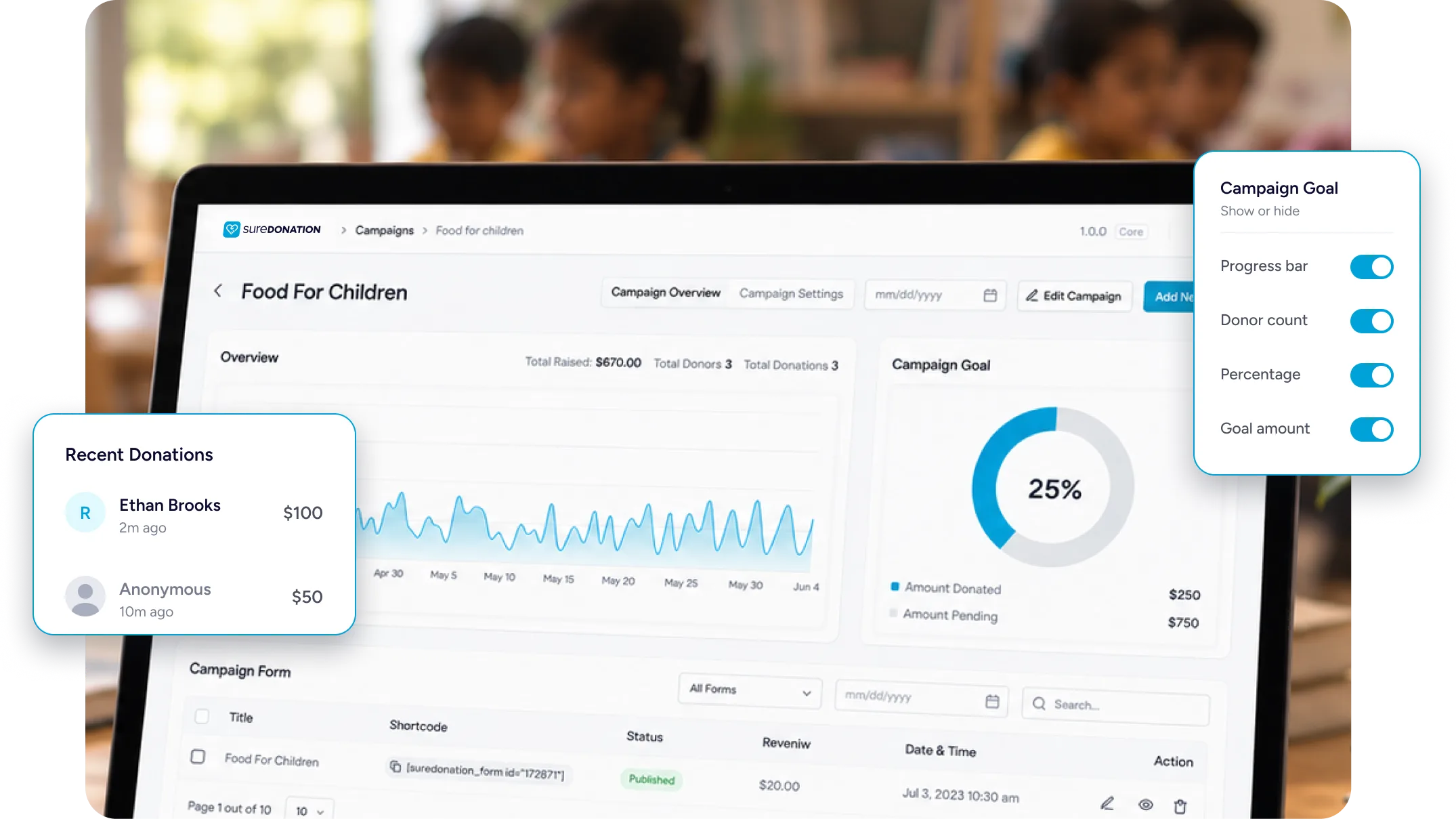
What the Goal Block Puts on Your Page
One block, showing where the appeal stands and where it needs to get to.
The Total and the Target
How much has come in so far, against the figure you set, with a filled bar showing the gap.
Counted From Your Records
The total, the donor count and the percentage are all read from your donation records.
Refunds Come Back Out
Refunded amounts are subtracted from the total, while pending gifts are left out of the final total.
Setting it up, and what donors see
From a Target to a Live Progress Bar
Choose what you are counting, place the blocks you want, and the numbers follow your donation records.
Two ways to measure
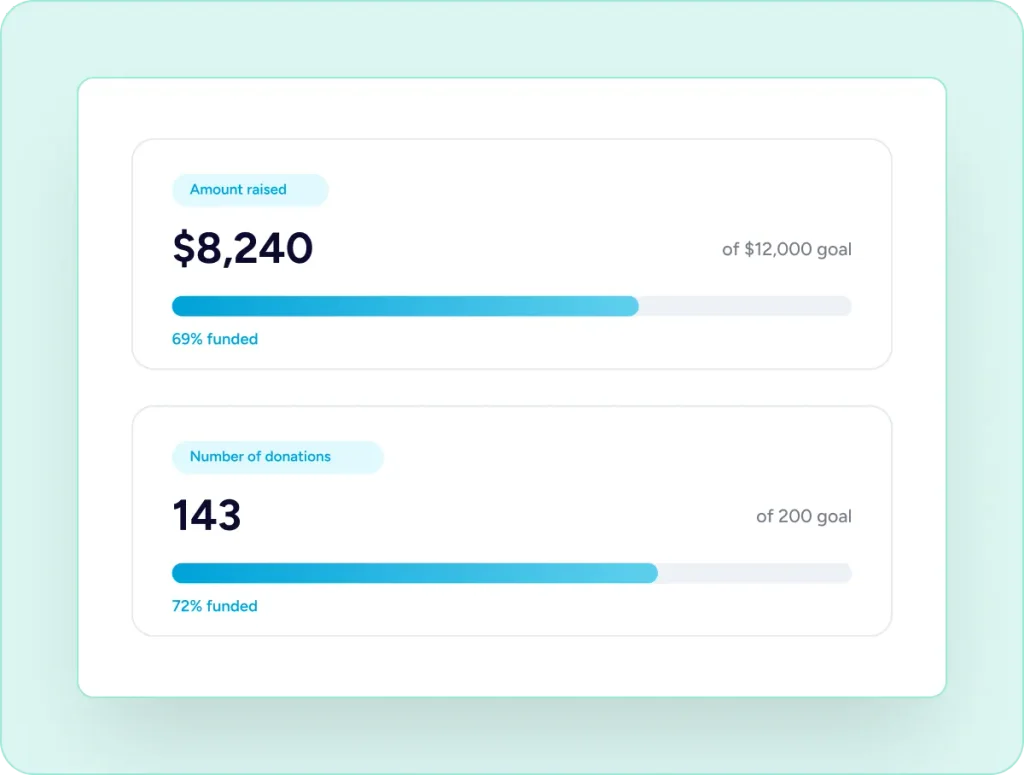
Set a Goal in Money or in Donations
A goal is either an amount raised or a number of donations. Set $12,000 toward a new roof, or 200 donations to cover a year of care. The progress bar follows whichever you choose and formats the figure to match — currency for an amount, a plain count for a number of gifts.
What the block renders
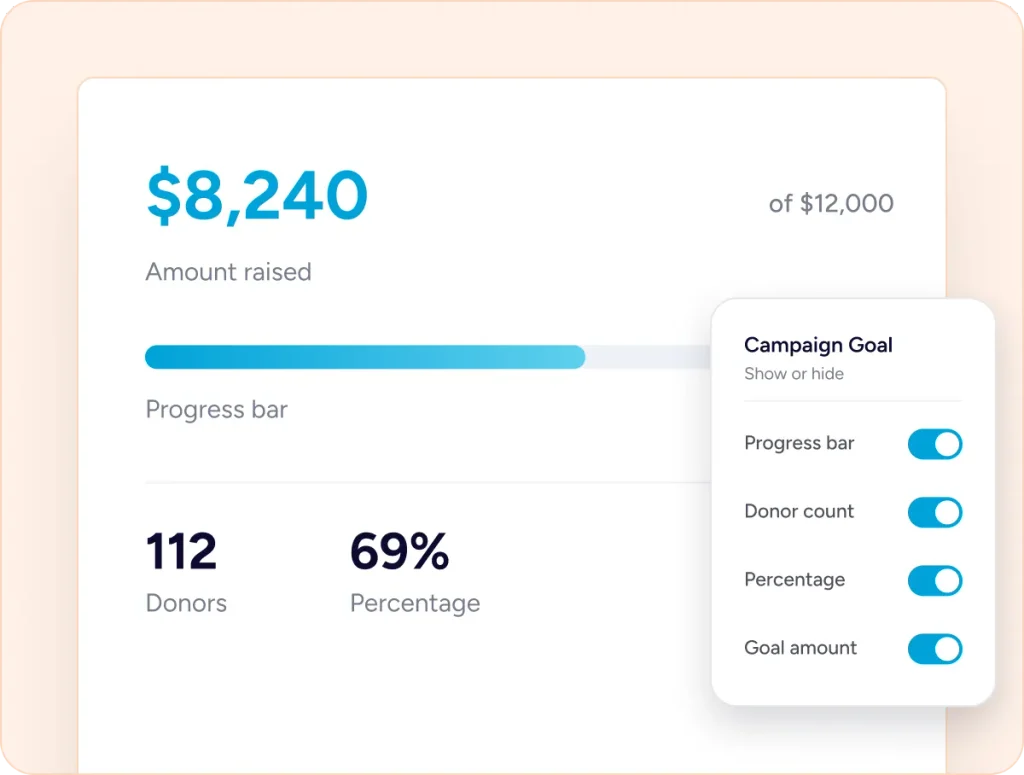
Four Figures in One Block
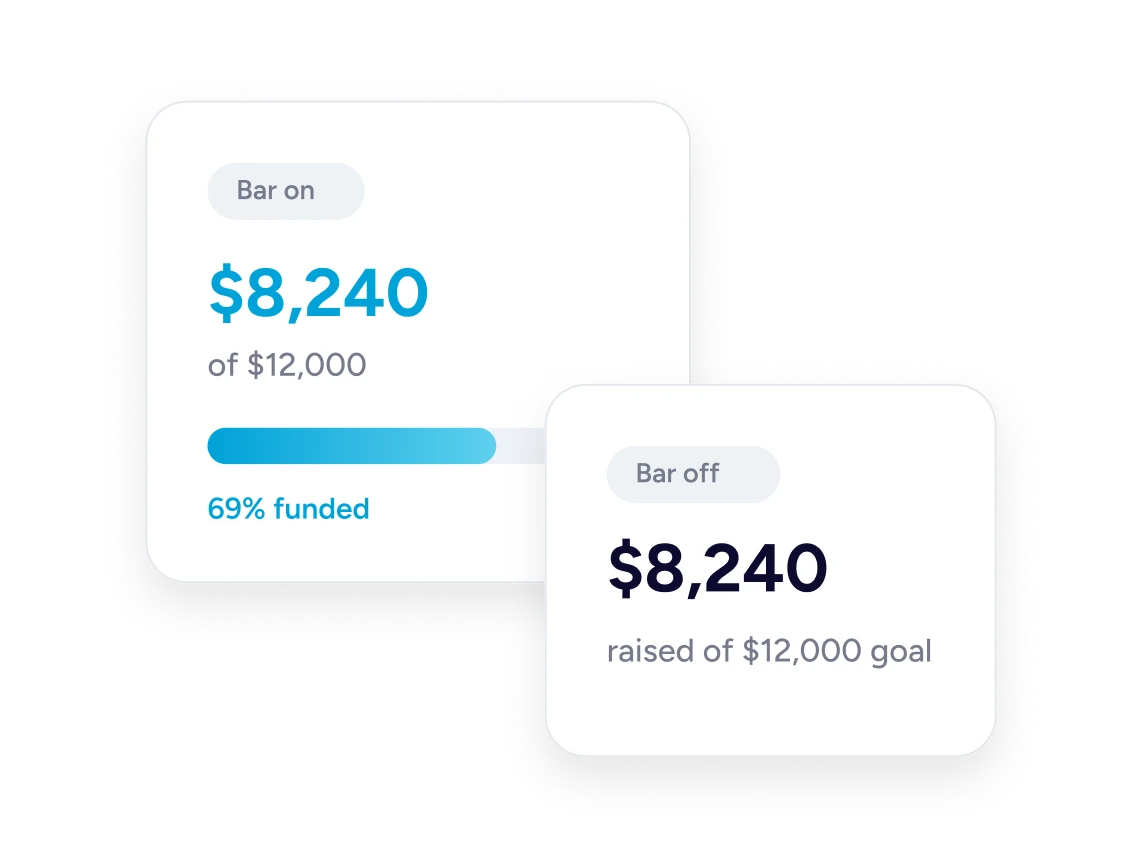
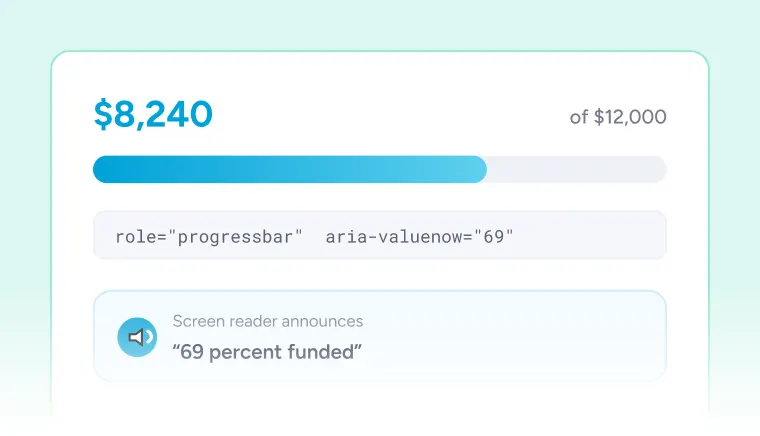
The Campaign Goal block shows the amount raised against the target, a bar filled to the current percentage, the number of donors so far, and that percentage as a figure. Turning the bar off leaves the raised-of-goal line on its own, which fits a sidebar or a narrow column. The bar uses standard progressbar markup, so screen readers announce how far along the appeal is.
How the total is calculated
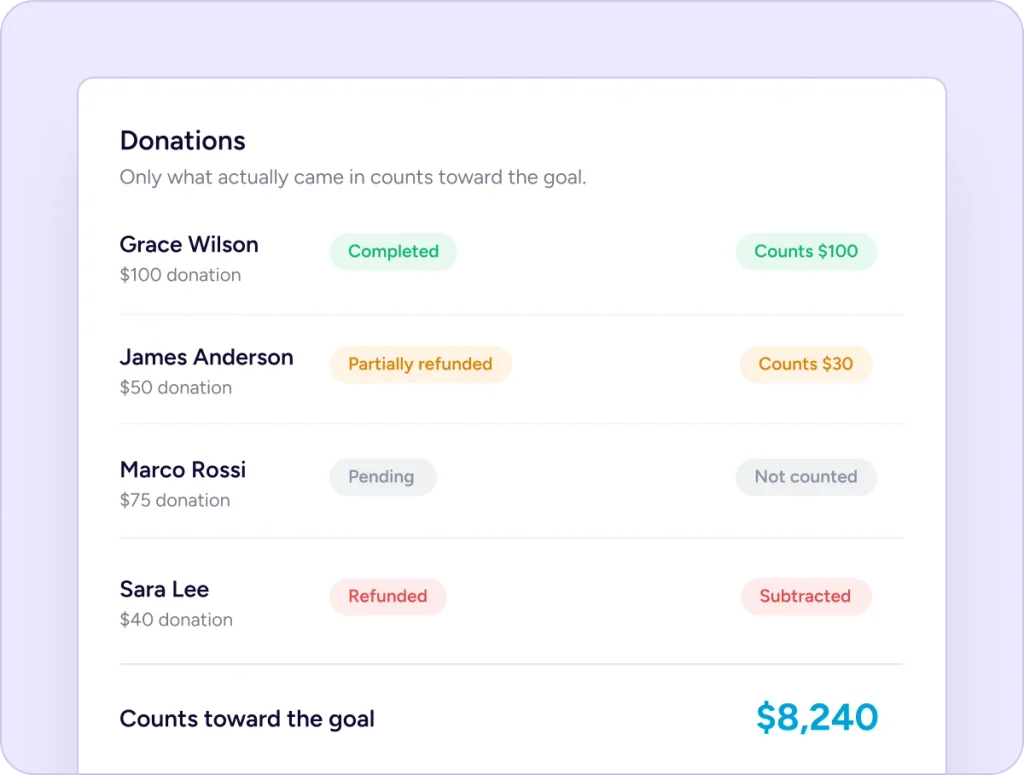
Which Donations Count
Completed donations count in full. Partially refunded ones count for the amount kept, because the refunded portion is subtracted. Pending, failed and abandoned attempts are not included at all. Donors are counted once each rather than once per gift, so the donor figure is people. When a donation completes, the page reflects it on the next load.
Two more blocks
Show Recent Gifts and Top Donors
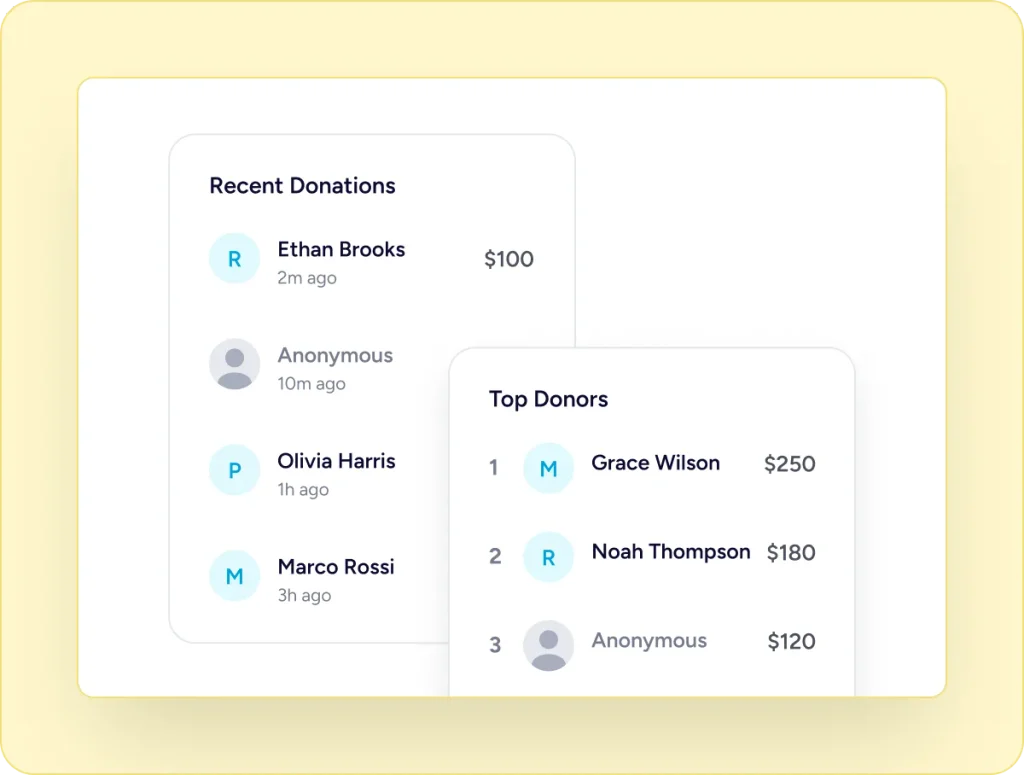
The Recent Donations block lists the latest gifts, five by default or however many you set. The Top Donors block lists your largest supporters, with an optional button pointing back to the form. Anyone who gave anonymously appears as Anonymous, and you can leave anonymous gifts out of the public list altogether.
The Page and Your Records Always Match
The figure on the page is not typed in and it is not stored separately. It is calculated from your donation records, so the total a donor sees and the total in your dashboard are the same number.
Three Steps to a Live Bar
All three happen in the campaign editor.
Choose What to Count
Money raised, or number of donations. Set it in the campaign settings with just a few clicks.
Enter the Target
Type the figure you are aiming for. Cause templates arrive with a suggested number you can change.
Place the Blocks
Add the goal block where you want it, with statistics, recent donations or top donors alongside.
Numbers you can place anywhere
Everything a Campaign Can Show
Five figures, four blocks, and control over which of them donors see.
One figure at a time
Five Statistics, Placed Individually
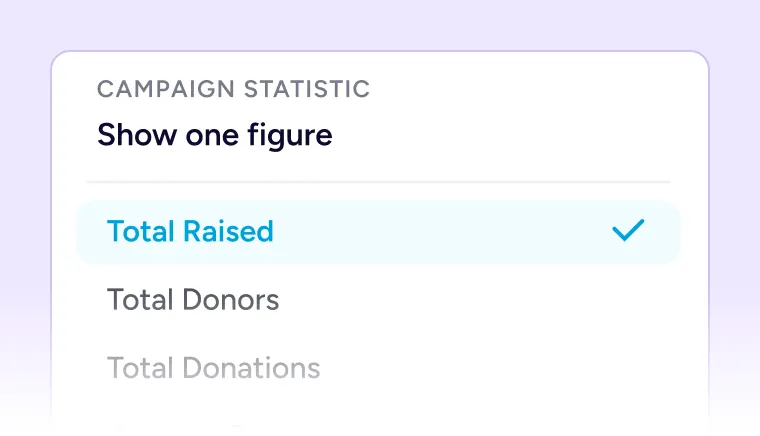
Total raised, donors, donations, average donation and top donation. The Campaign Statistic block shows one of them at a time, so you can put three across the top of a page and leave the rest out. Each reads from the same donation records as the progress bar, so the figures agree with each other.
Bar Optional
Turn the progress bar off and the raised-of-goal line stays on its own.
Recent Donations
Show the latest five gifts, or set your own number. Anonymous gifts appear as Anonymous, or not at all.
Built For Every Type Of Fundraising Organization

NGOs & Nonprofits
Place the bar on your homepage during an appeal and remove the block when it closes.

Churches
An amount goal for the building fund, with the bar on the giving page.

Educational Institutions
A donation count goal when you need a set number of families to take part.

Medical Fundraisers
Set the treatment cost as the target so the remaining amount is visible.

Animal Welfare Organizations
Count donations rather than money when the ask is for a number of sponsors.

Creators and Developers
A modest target alongside the recent donations list on your support page.
Things you may want to know
No. Goals, the progress bar, the five statistics and all four progress blocks are in the free plugin.
Yes. A goal is either an amount raised or a donation count, and the bar formats and fills according to which you choose.
Completed donations, plus the kept portion of any partially refunded ones. Refunded amounts are subtracted. Pending, failed and abandoned attempts are not included.
Figures are cached briefly so pages stay fast, and the cache is cleared whenever a donation is recorded or its status changes. A completed gift shows on the next page load.
Once each. The donor figure counts unique donors, so someone who gives five times counts as one.
Yes. Turn the bar off and the raised-of-goal line stays on its own.
The bar fills to 100% and stops there. Donations continue unless you pause or complete the campaign yourself.
Yes. The goal block takes a campaign, so you can place it on your homepage or any other page and point it at the appeal you want. On a campaign page it uses that campaign by default.
Yes. The goal, statistic, recent donations and top donors blocks all have matching widgets and elements.
Your own donation records, in your own WordPress database. Nothing is calculated or stored elsewhere.